
How do I build a custom report?
Published on: 04/11/2026
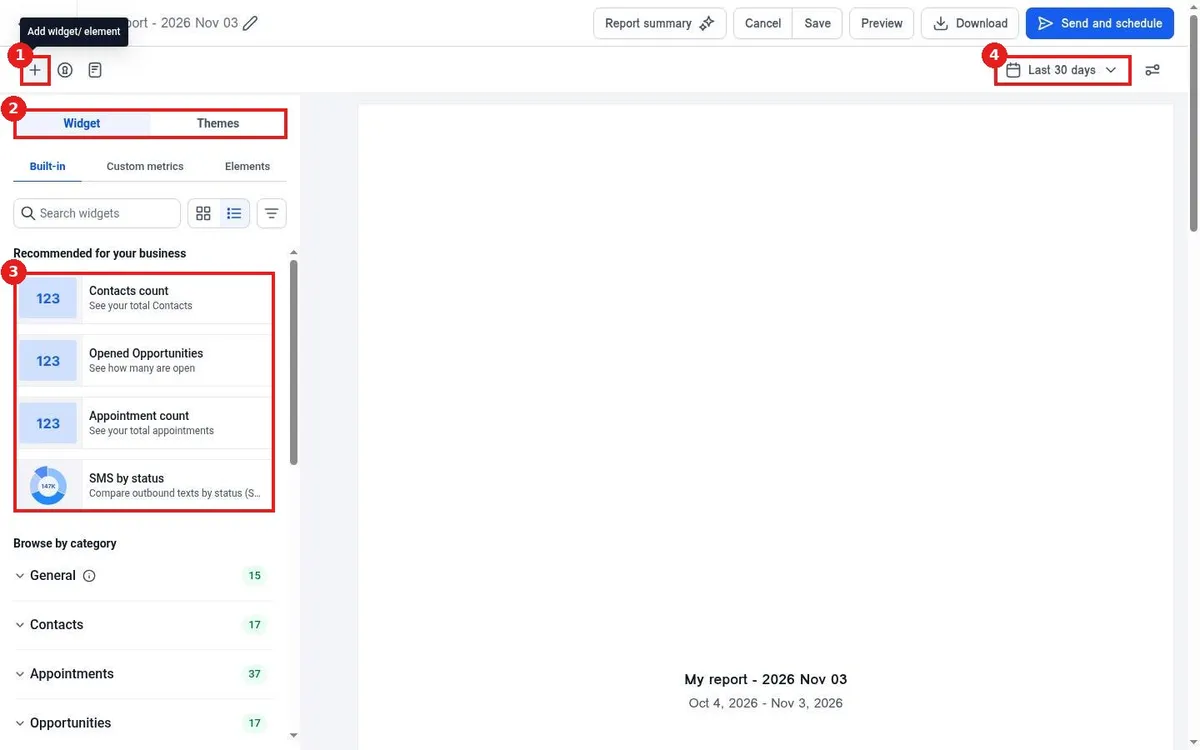
Build a custom report in Reachific: go to Reporting, Custom reports, click Create your first report, choose a blank report, template or clone, add widgets from the left panel, set the date range, then Save, Download or Send and schedule it.
custom reportreport builderreportinghelp center